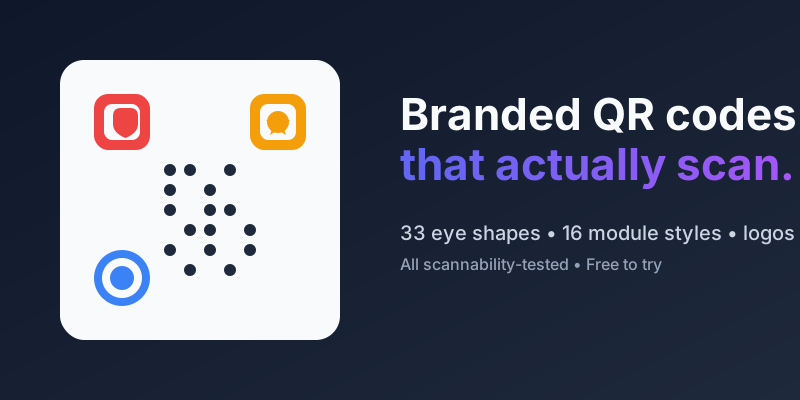
A default QR code is three black squares in the corners and a wall of pixels in the middle. Functional — but on a premium product package or a café menu it looks like it was copy-pasted from 2003. In 2026 your QR code is part of the brand surface, and there is no reason it should stick out for the wrong reason.
This guide walks through the three layers you can style — finder eyes, module patterns, and centre logo — and the one hard rule that decides whether the code still scans when you are done.
The three visual layers of a QR code
Open any QR code and you will see the same three things:
- Finder eyes — the three big squares in the corners. These are what a phone camera locks onto first. There is a fourth corner (bottom-right) but it holds the alignment pattern, not a finder.
- Module pattern — the grid of small squares in between. Each square is one bit of encoded data.
- Centre logo — optional. A logo placed over the middle ~20 % of the code is covered by Reed–Solomon error correction, so scanners can still recover the data.
Every serious branded QR is styled on these three layers, not by slapping a gradient over the whole thing.
Finder eyes: 33 shapes, same footprint
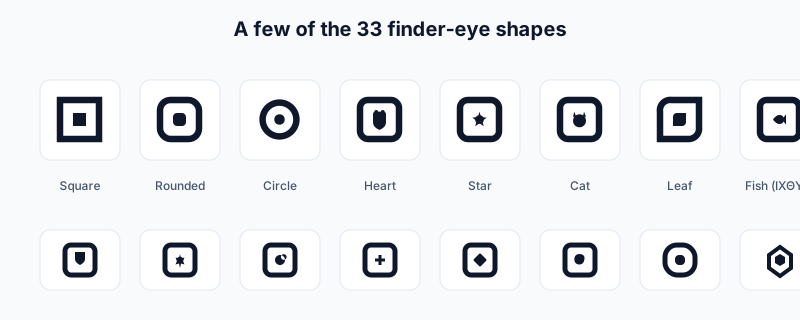
Super QR Code Generator ships 33 finder-eye styles as of this week — from the classic Square, Rounded and Circle to decorative Heart, Star, Cat, Compass, Shield, Leaf, and the Ichthys (ΙΧΘΥΣ) fish. Every one of them keeps the 7-module outer footprint scanners expect, so you can mix them freely with any module pattern.
The classic rule of thumb — "a scanner needs a perfectly square eye" — is wrong. What the scanner actually needs is a 1 : 1 : 3 : 1 : 1 dark-light-dark-light-dark ratio along any horizontal or vertical line through the centre of the eye. Any shape that keeps roughly 3 modules of solid dark in the middle works.
Module patterns: 16 styles and counting
For the inner grid we offer 16 patterns: Square, Rounded, Dots, Diamond, Classy, Star, Plus, Hexagon, Cross, Heart, Triangle, Teardrop, Flower, Octagon and two AI-generated slots where you can supply your own SVG path. Rounded and Dots scan slightly worse than square on printed surfaces at small sizes — below about 2 cm we still recommend square for anything that is going on a sticker or a label.
Centre logo: go bigger, but use Level H
If you want a recognisable logo in the middle, set error correction to Level H (about 30 % redundancy) before you place the logo, not after. The payload will occupy more modules, so the code gets visually denser, but Level H tolerates a logo up to roughly 22 % of the canvas.
For a logo that sits flush with the design we offer a built-in library of brand logos (Wi-Fi, WhatsApp, YouTube, Instagram, Spotify, …) plus upload for your own SVG or PNG.
The one rule: 1 : 1 : 3 : 1 : 1
The single most common reason a pretty QR code does not scan is that the decorative eye has too much light space in the middle. Scanners fire horizontal and vertical scan lines through each candidate finder and expect the pattern to match within about ±15 % of that 1 : 1 : 3 : 1 : 1 ratio.
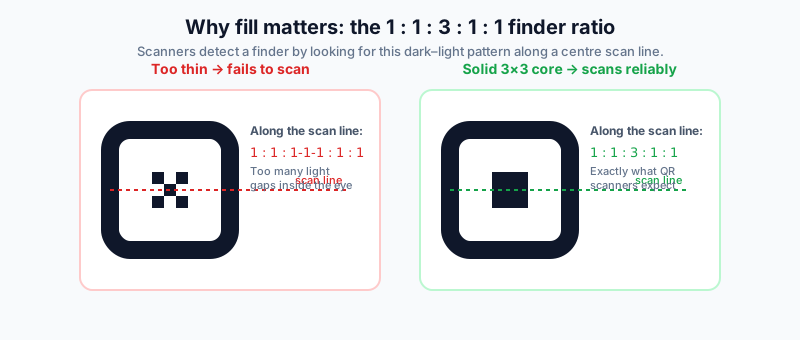
Translation for designers: the 3×3 module at the centre of each finder eye needs to be mostly dark. Decoration belongs on the edges of the eye, not carved out of the middle. Every one of our 33 shapes was designed with this rule in mind — there is a built-in scannability check in the customiser that warns you the moment a combination slips below scan-safe contrast or coverage.
Practical recipe
If you are designing your first branded QR:
- Start with Rounded modules and the matching Rounded eyes — the widest-compatibility combo.
- Tint the foreground in your primary brand colour and keep the background white. Contrast ratio must stay above 4.5 : 1.
- Replace the centre with your logo at 18–20 % of the canvas, with Level H error correction.
- For extra flair, change just the eyes to Heart, Star, Cat, Leaf or Shield — the module grid stays classic so scan reliability does not suffer.
- Print a test at the smallest size it will ever appear and scan it with three phones (iOS camera, Android camera, WeChat camera). If any of them hesitates longer than a second, step back to Rounded eyes.
Try it
Every feature mentioned here is live — open the customiser, pick your eyes and module pattern, drop your logo in, and export. No watermark on the free tier, unlimited scans from $0.99/month if you need dynamic redirects and analytics.